Tivoli: ITM 6.2.3 - Migrate the TEPS Database to a Remote DB2 Server

(c) brokenribgolfer.com


Author: Mark Hopkins   Email   WhatsApp

Date Published: 10.15.2005
Date Last Modified: 02.05.2026 (formatting)

The Tivoli Enterprise Portal Server (TEPS) uses a database for storing information (user accounts, roles, groups, situations, etc.). Currently there are only two supported database types, DB2 and embedded. The embedded database, Derby, is typically only used for small environments. Neither option allows for the database to exist on a remote server, and is "unsupported" by IBM. In most DB2 environments, the DBA's would prefer to have all databases on dedicated, highly available, centrally administered database server "farms". This article will describe a method for migrating a TEPS database to a remote DB2 database server.

Background
Assumptions
Requirements
Architecture
Commands Used
Procedure

Backup The Local TEPS Database

Restore The Local TEPS Database To Remote DB2 Server
Verify Local Connectivity On Remote DB2 Server
Configure The TEPS For Remote Database Connectivity
Verify Remote DB2 Connectivity

Configure The TEPS To Use Remote Database
Verify The TEPS Against The Remote DB2 Database
Verify Export/Import Scripts Against The Remote DB2 Database
Conclusion
Printing

Background

We have been deploying IBM Tivoli Monitoring (ITM) solutions for the past several years. Along the way, we have also deployed Netcool/OMNIbus as a MOM (Monitor Of Monitors). Most components of ITM and OMNIbus are highly available, without clustering software. For example, the concept of a backup TEMS, multiple Remote TEMS, dual Object Servers, etc. Even the Tivoli Integrated Portal can be configured as highly available. The exception to these has always been the TEPS. Our guess is that the TEPS will eventually be phased out in favor of the TIPS (or WebTop). If this is true, it would explain several things, including a lack of support for the TEPS using a remote database server.

We should probably discuss why we want to do this and what we need to do to prove that is can actually work. The why is simple; it's the challenge. It just does not make any sense for it not to work and to not be supported. We suppose that perhaps IBM has a very good reason as to why they don't support the remote database configuration, and perhaps they will write us an email on the subject. It would be welcome. All we really need from the TEPS database, no matter where it lives, is to be configurable (itmcmd config -A cq) and that we can use the migrate scripts to back up the "primary" TEPS database and restore it into the "backup" TEPS database. If this works, we will consider it a viable configuration.


Assumptions

In this article we are assume that you already have a configured ITM environment including a TEMS and a cnfigured TEPS as well as a remote DB2 database server. We are also going to assume that you have a good understanding of ITM, Linux as well as DB2.


Requirements

Requirement for duplicating this exercise in your environment are:


Redhat Enterprise Linux 5.3 (32-bit)

Tivoli Enterprise Monitoring 6.2.3

DB2 Enterprise Server V9.7

An SSH/X-Windows capable workstation. We are using Windows 7 with NetSarang Xmanager 4.


Architecture


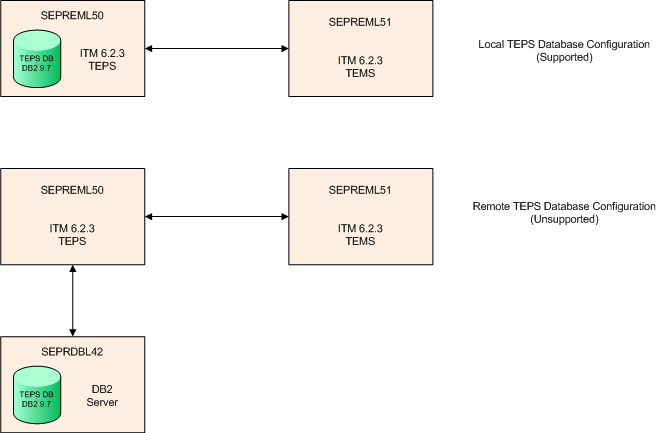
This diagram depicts the architecture of this article.

Commands Used

The following commands are used in this article:


Linux: service, id, ls, grep, useradd, groupadd, passwd, su, while, netstat, sleep

DB2: backup, restore, db2stop, db2start, list database directory, list node directory, connect, catalog, list applications

ITM: cinfo, itmcmd config


Procedure

Now that we have laid the groundwork, let's get going with the actual steps.


Backup The Local TEPS Database


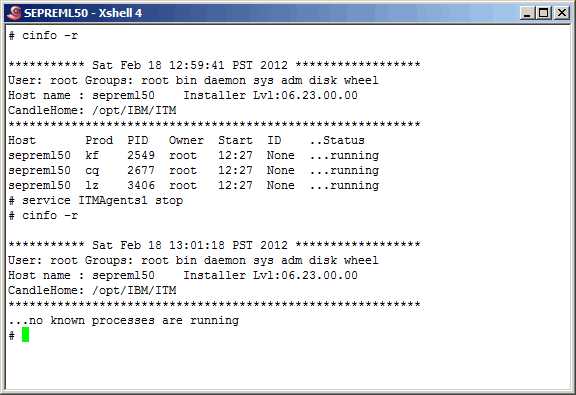
Before we perform the TEPS database backup, let's make sure that no applications are using the database. Since we know that the only application using it is the TEPS, let's shut it down.

Command(s)

	          
cinfo -r
service ITMAgents1 stop
cinfo -r


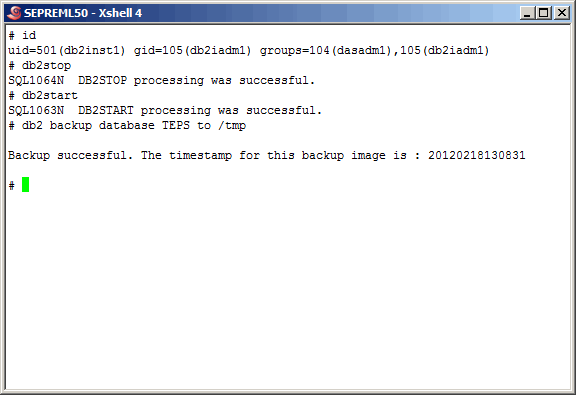
To make sure that all applications are disconnected, let's stop and then start the local TEPS database. Actually, if the database still thinks that there are still connections active, the db2stop command would not work. At that point we could force the issue, however in this case it was unnecessary as you can see here.

After the db2start command is successful, perform the database backup. Notice that all of the DB2 commands were executed as the database instance owner "db2inst1".

Command(s)

                  
id
db2stop
db2start
db2 backup database TEPS to /tmp


Restore The Local TEPS Database To Remote DB2 Server


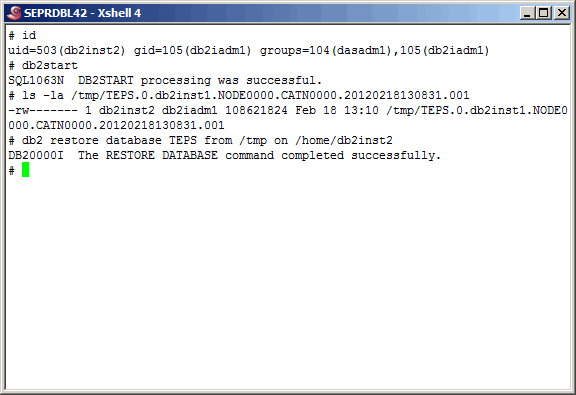
Before we continue, we must mention that we left out a couple of basic Linux steps. After the local database backup, we copied the backup to the DB2 database server (seprdbl42) and changed the file ownership to "db2inst2". On the remote DB2 server, there are two versions of the DB2 Enterprise Server running. The "db2inst1" account is used by DB2 V9.5, and the "db2inst2" account is the owner of the DB2 V9.7 instance. We of course want to use V9.7. Having said all that, perform the database restore as shown here. Again, notice that these operations are performed by the "db2inst2" user.

Command(s)

                  
id
db2start
ls -la /tmp \
       /TEPS.0.db2inst1.NODE0000.CATN0000.20120218130831.001
db2 restore database TEPS from .tmp on /home/db2inst1


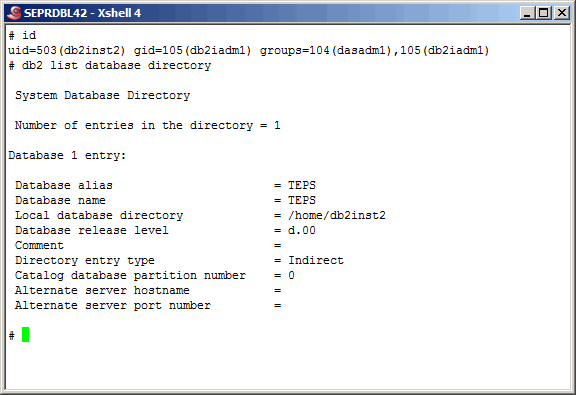
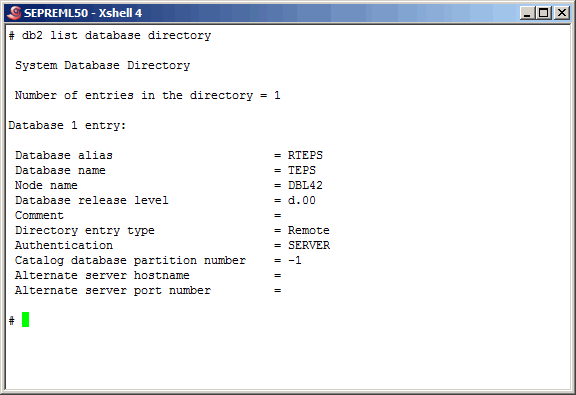
A database directory listing shows that the database restore also cataloged the database.

Command(s)

                  
id
db2 list database directory


Verify Local Connectivity On Remote DB2 Server


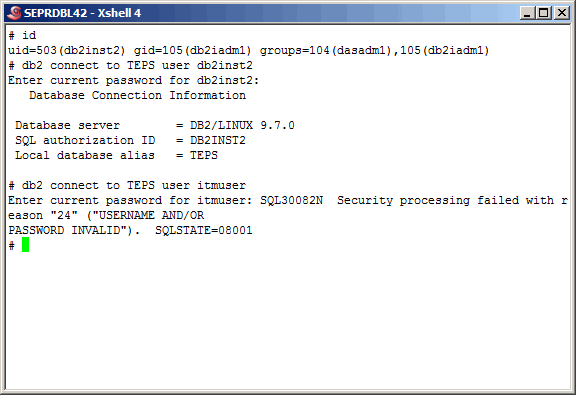
At this point we need to verify that we can connect to the restored TEPS database, locally on the DB2 database server. After all, if we cannot authenticate locally we won't be able to from the TEPS. We also must not forget that the most important account is "itmuser". As you can see here, we easily connect as the instance owner "db2inst2" but fail using "itmuser". We expected this as the "itmuser" account does not exist (yet) on this server.

Command(s)

                
id
db2 connect to TEPS user db2inst1
db2 connect to TEPS user itmuser


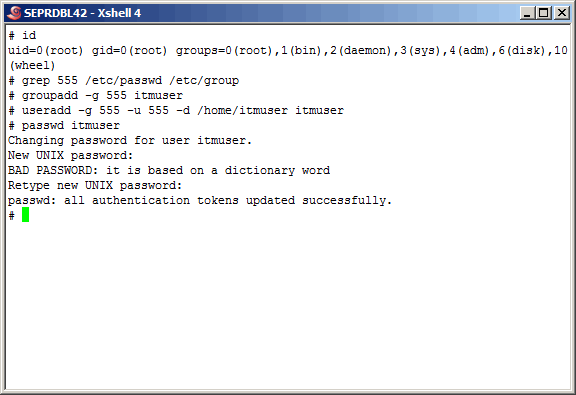
Here we create the "itmuser" group and user, and assign it the appropriate password. It is not obvious here, but we do not have to synchronize the user/group id with the "itmuser" on the TEPS. Notice that all of this must be done by the "root" user.

Command(s)

                
id
grep 555 /etc/passwd /etc/group
groupadd -g 555 itmuser
useradd -g 555 -u 555 -d /home/itmuser itmuser
passwd itmuser


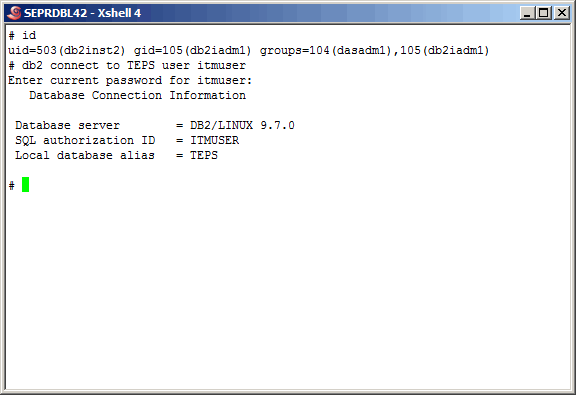
All now seems well on the remote DB2 server, authentication wise.

Command(s)

                
id
db2 connect to TEPS user itmuser


Configure The TEPS For Remote Database Connectivity


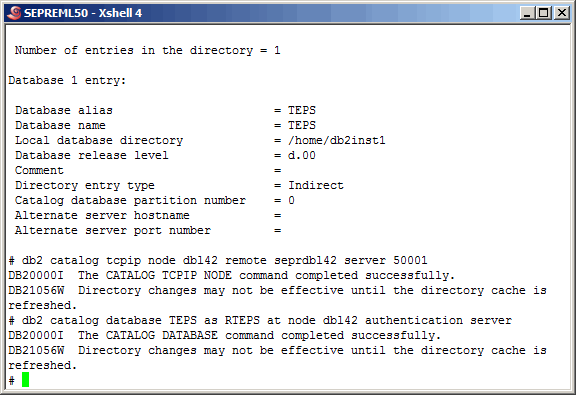
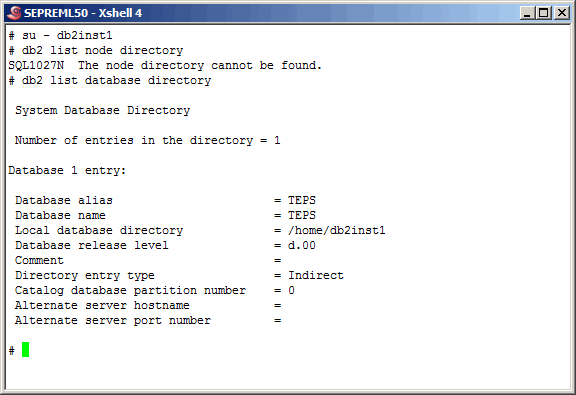
Back on the TEPS, switch to the "db2inst1" user and list out the currnet node and database directory. As we expect there are no nodes defined. We will need to catalog a node and a remote database.

Command(s)

                
su - db2inst1
db2 list node directory
db2 list database directory


Catalog the node and the remote database as shown here.

Command(s)

                
db2 catalog tcpip node db142 remote seprdb142 server 50001
db2 catalog database TEPS as RTEPS at node db142 \
    authentication server


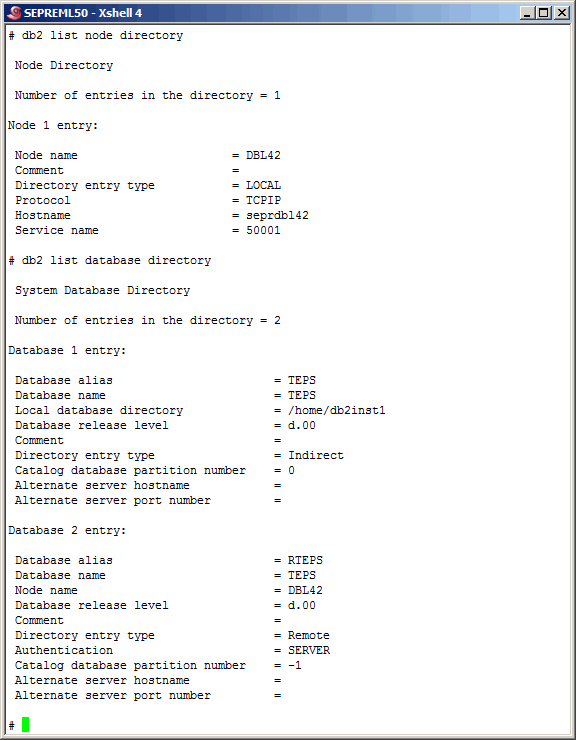
List the node and datbase entries again. This looks good.

Command(s)

                
db2 list node directory
db2 list database directory


Verify Remote DB2 Connectivity


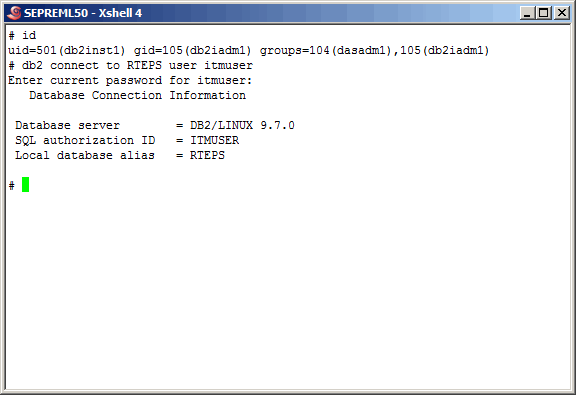
Here we show that we can successfully connect to the remote TEPS (RTEPS) database with the "itmuser" account.

Command(s)

                
id
db2 connect to RTEPS user itmuser


Configure The TEPS To Use Remote Database


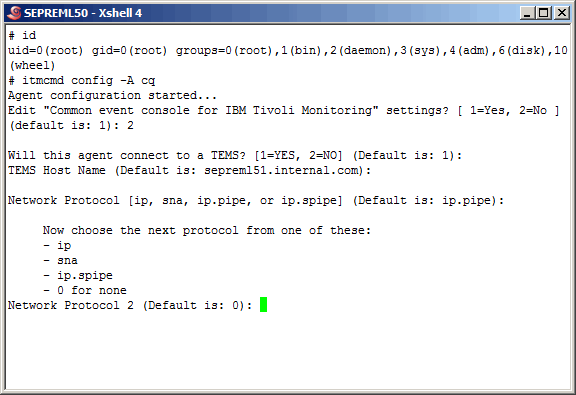
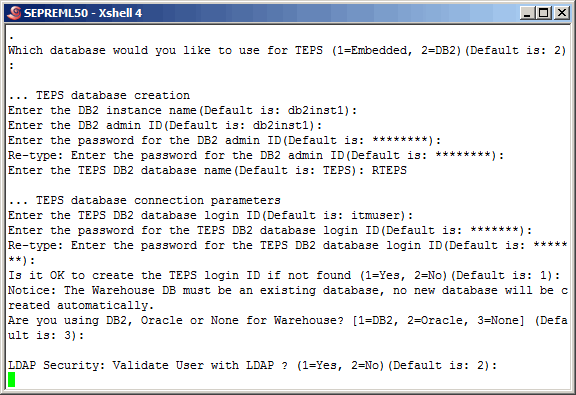
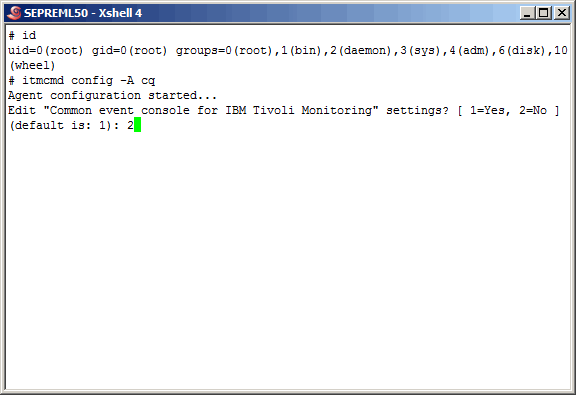
Now that everything has been configured from a remote database perspective, let's put it to the test by configuring the TEPS (CQ TEMA) to use the remote TEPS (RTEPS) database. We start with the "itmcmd config -A cq" command issued on the TEPS by the "root" user.

Command(s)

                
id
itmcmd config -A cq
2


Take the defaults as shown here.......


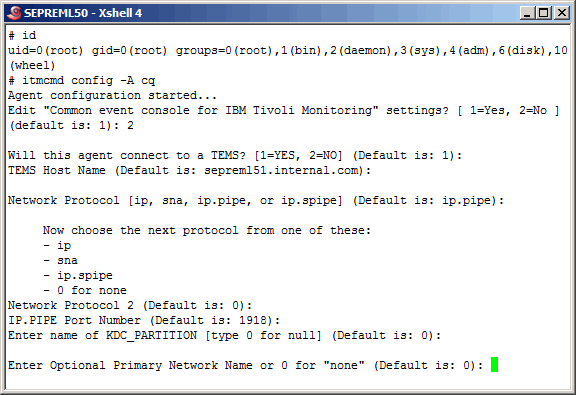
More defaults here...........


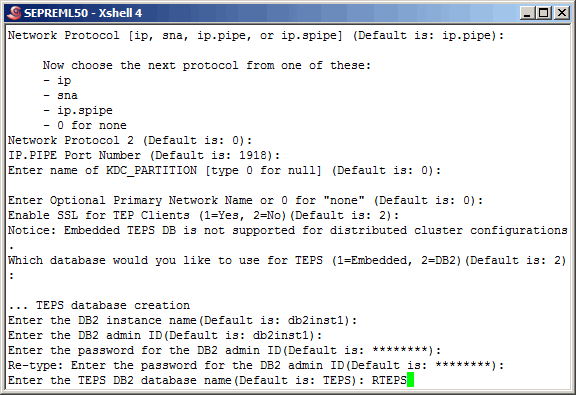
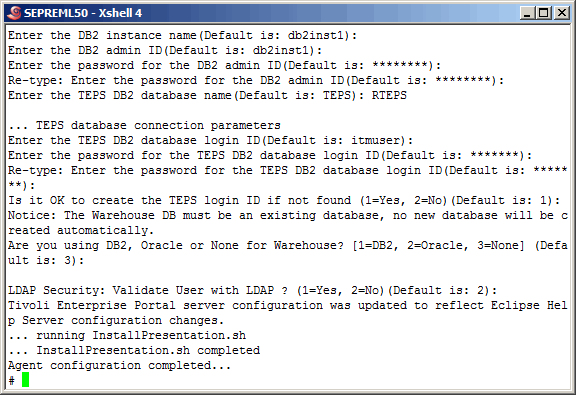
More defaults, until we reach the point of entering the TEPS database. We will use the defined DB2 alias "RTEPS".


And again, more defaults.......


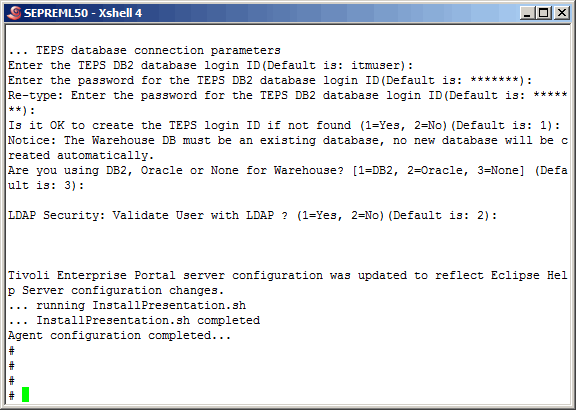
It appears that we have a successful TEPS configuration.


Verify The TEPS Against The Remote DB2 Database


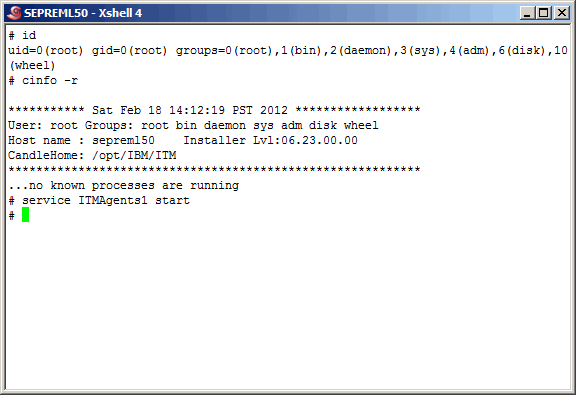
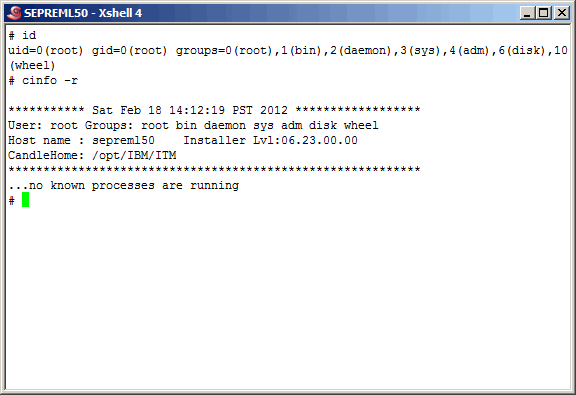
On the TEPS we see that there are no ITM processes running, as we would expect.

Command(s)

                
id
cinfo -r


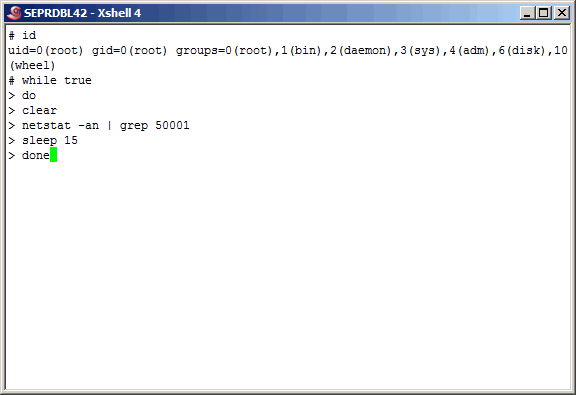
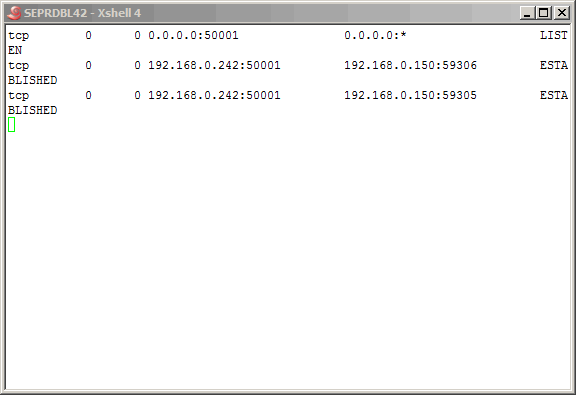
On the remote database server, we start a loop that checks for connectivity to the remote TEPS database, as it listens on port 50001.

Command(s)

                
id
while true
do
  clear
  netstat -an | grep 50001
  sleep 15
done


At this point we see no connections, as expected.


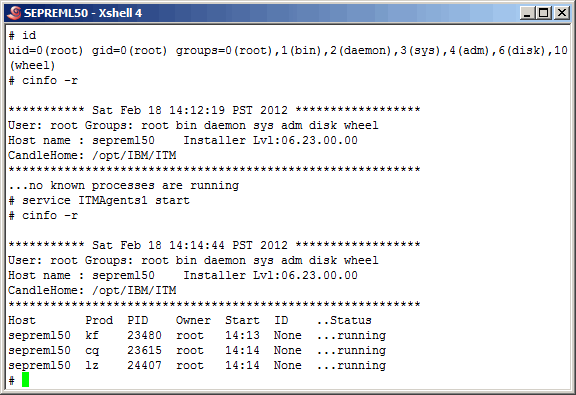
Now that we have "set the table" on the remote DB2 server, let's start the ITM processes on the TEPS server (sepreml50).

Command(s)

                
id
cinfo -r
service ITMAgents1 start


Verify that the processes are running.

Command(s)

                
cinfo -r


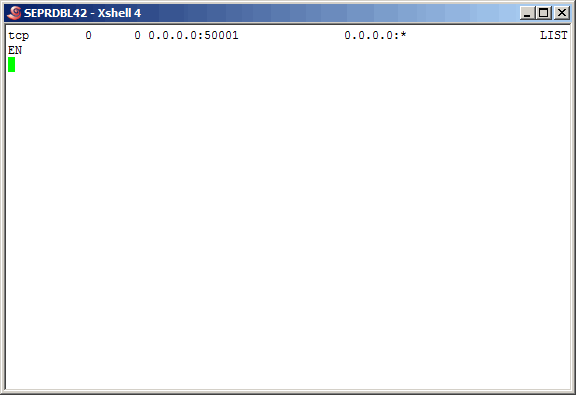
Rerun the loop above and in a few minutes we see new conections on the remote database server, and they originate from the TEPS.


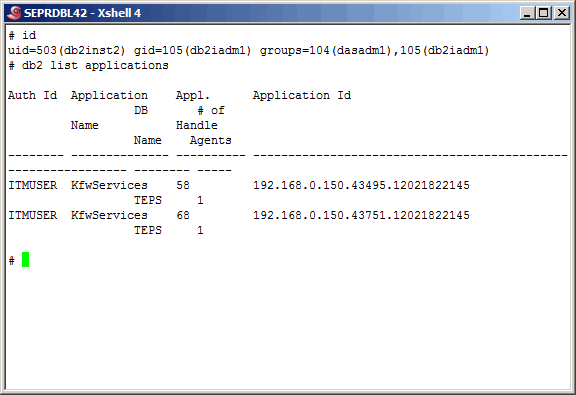
As more proof we can list the db2 applications as shown here.

Command(s)

                
id
db2 list applications


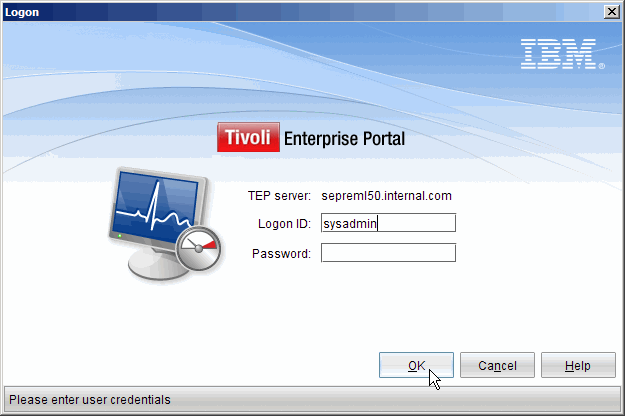
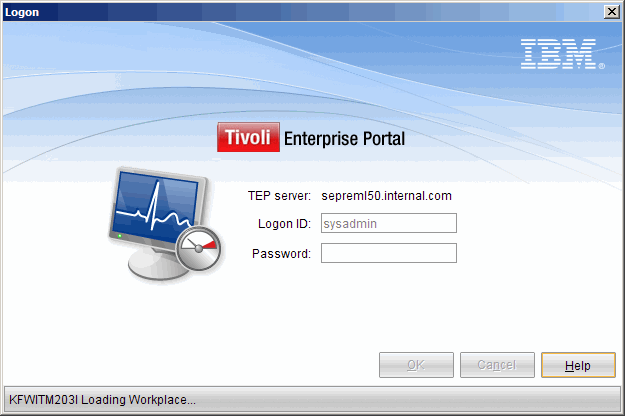
Now let's log in to the TEPS.


As we all know, once we see the "Loading Workplace" we can assume a successful connection. We will not show any more of the GUI. Rest assured that it did start completely.


Verify Export/Import Scripts Against The Remote DB2 Database


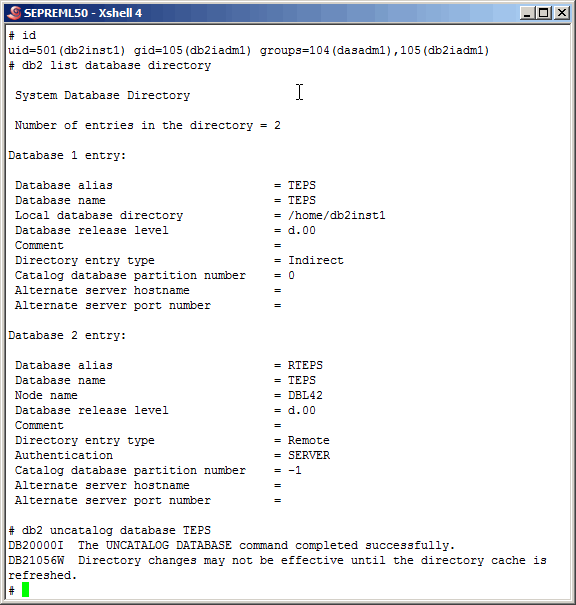
As stated earlier in this article, we have been working with ITM for several years. During that time, the only two TEPS DB related functions we have ever done is to (1) reconfigure it, and (2) backup and restore it. This section will focus on the later. First, to ensure that the IBM supplied scripts are not "hard wired" to the name "TEPS" and that we can use the DB2 alias "RTEPS" we will uncatalog the TEPS database. This step does not delete the database, rather disables it.

Command(s)

                
id
db2 list database directory
db2 uncatalog database TEPS


Listing the database directory again verifies that we no longer see the old local TEPS database.

Command(s)

                
db2 list database directory


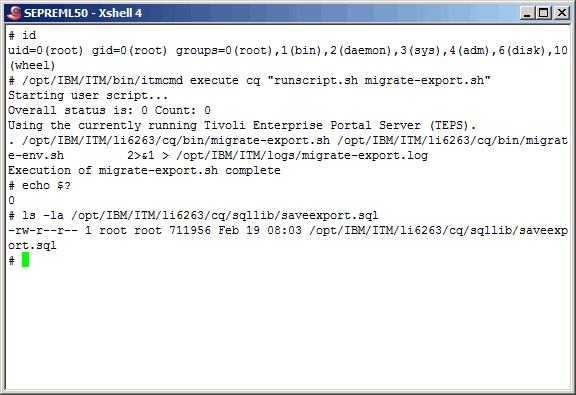
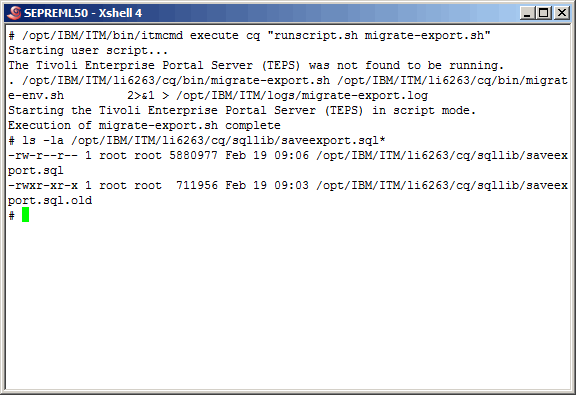
Here we run the IBM-supplied migrate-export.sh script. We have used this script for backup/restore purposes from and to the same database as well as restoring to the datbase of the backup TEPS. Another way to backup/restore to the same database is via the DB2 backup/restore commands. Your DBA's might be performing the backups for you on a regular basis. After running the script we take a look at the size of the saveexport.sql file created. We notice that the file is quite small, however that is easily explained by the fact that this TEPS database is practically empty and that nothing has been done to the TEPS at all at this point.

Command(s)

                
id
. /opt/IBM/ITM/bin/itmcmd execute \
                   "runscript.sh migrate-export.sh"
echo $?
ls -la /opt/IBM/ITM/li6263/cq/sqllib/saveexport.sql


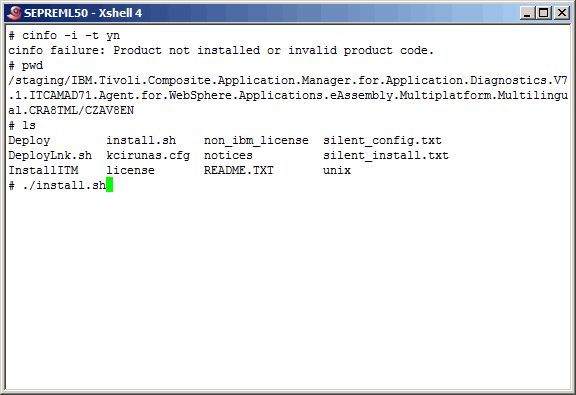
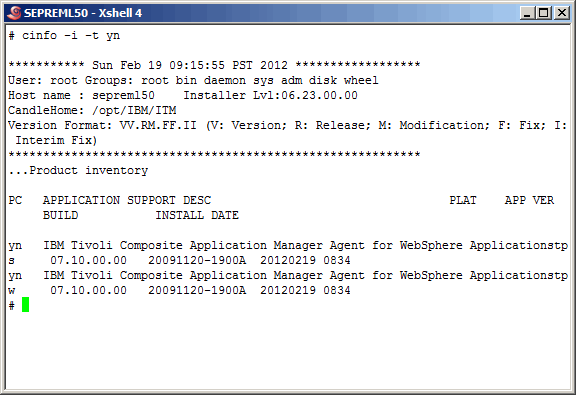
At this point there are many things we could do to change the TEPS database. We choose to add product support and reconfigure the TEPS database. Here we add product support for the YN TEMA (Tivoli Enterprise Monitoring Agent). This is the ITCAM for AD WebSphere Agent, however for the purpose of this article there is no need to understand that product at all.

Command(s)

                
cinfo -i -t yn
pwd
ls
./install.sh


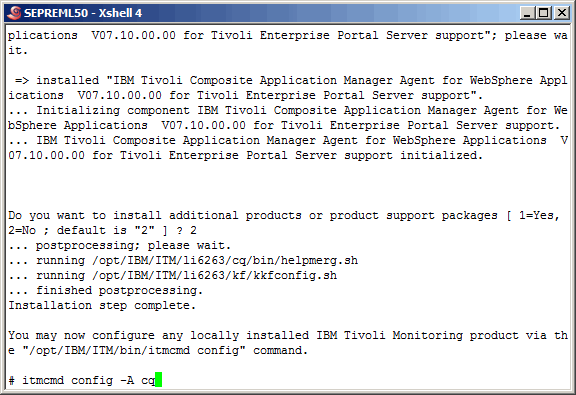
We skipped through some defaulted steps and here we see that the product support was successfuly added. This in itself does not change the contents of the TEPS database. However, when we reconfigure the TEPS, the database will also change, as you will see. So let's use the "itmcmd config -A cq" command to reconfigure the TEPS.

Command(s)

                
itmcmd config -A cq


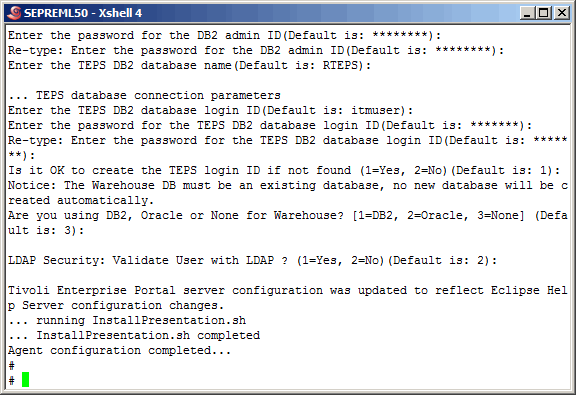
Again, we skip some screens, taking the defaults, and see that we were successful in reconfiguring the TEPS.


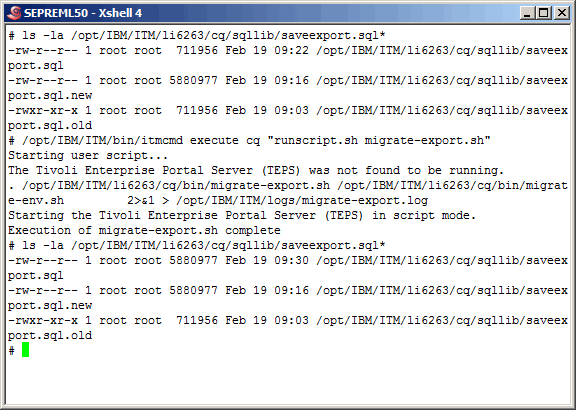
Here we run the migrate-export.sh script again, however prior to running it, we renamed the previous output to saveexport.sql.old to avoid it being overwritten. We will use it to prove a point later. After running the migrate-export.sh script, notice the difference in the sizes of the backups. Obviously adding product support and reconfiguring the TEPS added content to the TEPS database.

Command(s)

                
. /opt/IBM/ITM/bin/itmcmd execute \
                   "runscript.sh migrate-export.sh"
ls -la /opt/IBM/ITM/li6263/cq/sqllib/saveexport.sql


We never verified product support for the YN TEMA after installing it, so let's do so here.

Command(s)

                
cinfo -i -t yn


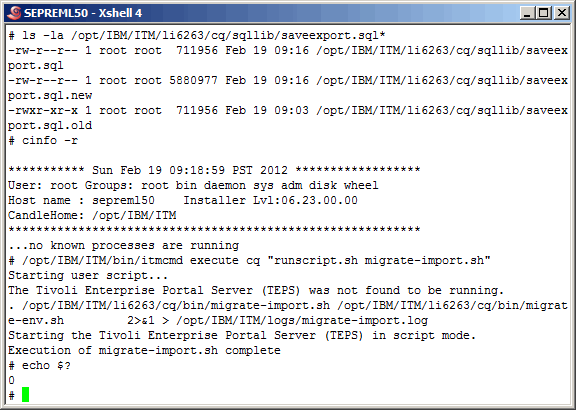
Here we have manipulated the previous exports. Notice that we again copied the saveexport.sql with the ".new" extension, and replaced the saveexport.sql with the original backup. We did this because we are not ready to restore the TEPS database to it's original state, prior to the most recent TEPS reconfigure. Now we successfully restore the database using the migrate-import.sh script as shown.

Command(s)

                
ls -la /opt/IBM/ITM/li6263/cq/sqllib/saveexport.sql*
cinfo -r
/opt/IBM/ITM/bin/itmcmd execute cq \
                 "runscript.sh migrate-import.sh"
echo $?


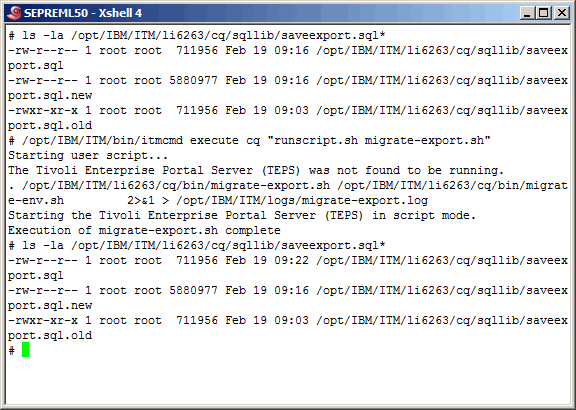
Now we run another migrate-export.sh and we see that the current TEPS database size is exactly (to the byte) size as it should be, the original size.

Command(s)

                
ls -la /opt/IBM/ITM/li6263/cq/sqllib/saveexport.sql*
/opt/IBM/ITM/bin/itmcmd execute cq \
		 "runscript.sh migrate-export.sh"
ls -la /opt/IBM/ITM/li6263/cq/sqllib/saveexport.sql*


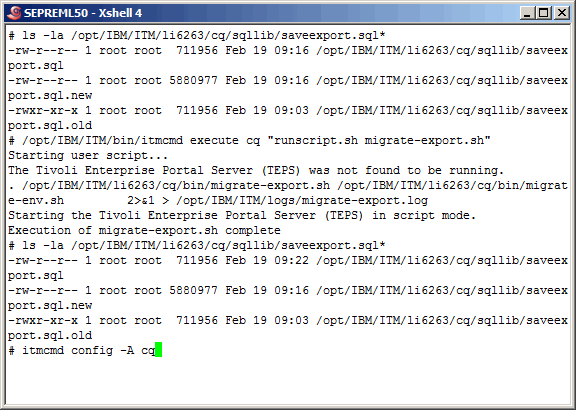
Now, what size will it be if we reconfigure the TEPS? Let's do it and find out. Reconfigure the TEPS using the "itmcmd config -A cq" command as shown.

Command(s)

                
itmcmd config -A cq


Again we skip some screen shots and see that we have successfully reconfigured the TEPS.


Again we perform another migrate-export.sh and see that the size of the TEPS database export is exactly (to the byte) the same size as it was prior to the restore. This is exactly what we were hoping and expecting to see.

Command(s)

                
ls -la /opt/IBM/ITM/li6263/cq/sqllib/saveexport.sql*
/opt/IBM/ITM/bin/itmcmd execute cq \
                 "runscript.sh migrate-export.sh"
ls -la /opt/IBM/ITM/li6263/cq/sqllib/saveexport.sql*


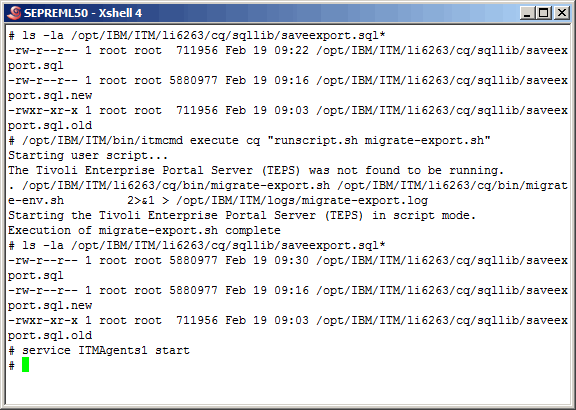
Start all ITM related processes on the TEPS server as shown.

Command(s)

                
service ITMAgents1 start


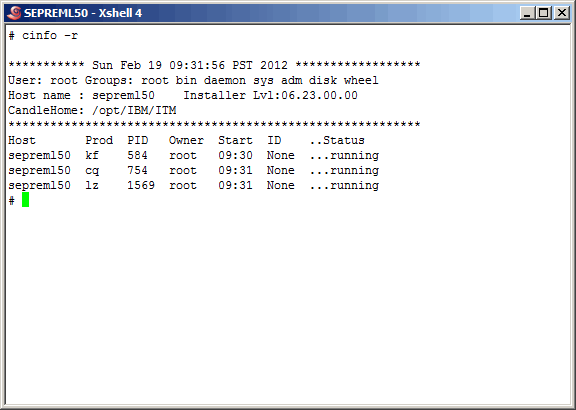
Verify that they have started. We will not show you that we logged back in to the TEP successfully, but we did as we did in a previous section.

Command(s)

                
cinfo -r


Conclusion

So, what can we conclude from all of this? Well, you tell us with your thoughts on the topic. What we can tell you is that this configuration works in this small tightly controlled environment, however we cannot accept any responsibility for anything should you chose to apply it to your environment. As we stated earlier, there does not seem to be any good reason as to why this remote TEPS database configuration is not supported, but then we are not IBM. We contacted IBM and all they would say is that "it is not supported at this time but might be in a future release". At a minimun we have been able to show you some really good Linux, ITM and DB2 concepts and commands.

Printing

As it turns out, as we are busy working on the HTML/CSS/php/Java Script formatting of our articles, pretty printing is not yet possible. We are working on it at a low priority.